


The email thread
is no place to run
hotel reservations.
Structured intake, an immutable audit timeline, and a standing check that every confirmed booking has actually been entered into the PMS.
Why reservations
break down in the inbox
When a booking lives across forwarded emails and WhatsApp messages, nobody can say what was agreed. Here is the difference one shared record makes.
“Hi team, booking request for Smith family 12–18 Oct. Attached revised voucher PDF. Please confirm ASAP.”
“Confirmed 2 Deluxe Sea View. (Note: forgot to type into Opera PMS).”
“Guest arrived with voucher at counter. We have NO record in PMS and hotel is 100% full.”
Three people, three copies, no shared truth. The thread was the record, and the record walked out of the door on annual leave.
Both parties read the same row at the same moment. The timeline cannot be edited after the fact, by anyone, including an administrator.
Ten states.
One timeline.
No edits.
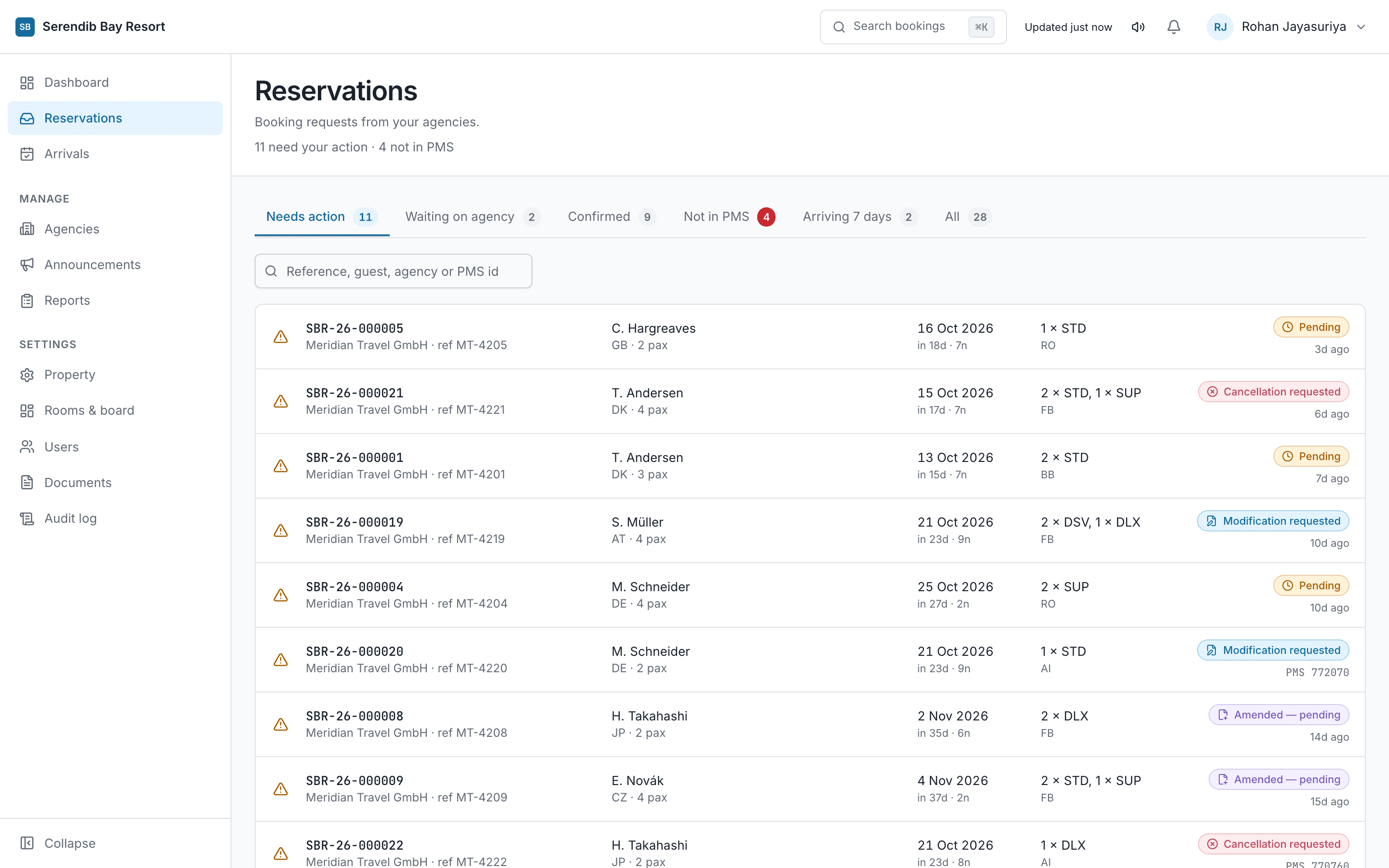
Every booking sits in exactly one state, and both parties see the same one. The timeline of how it got there cannot be edited or deleted by anyone — including an administrator.
Accepted by the hotel. The rooms are now held.
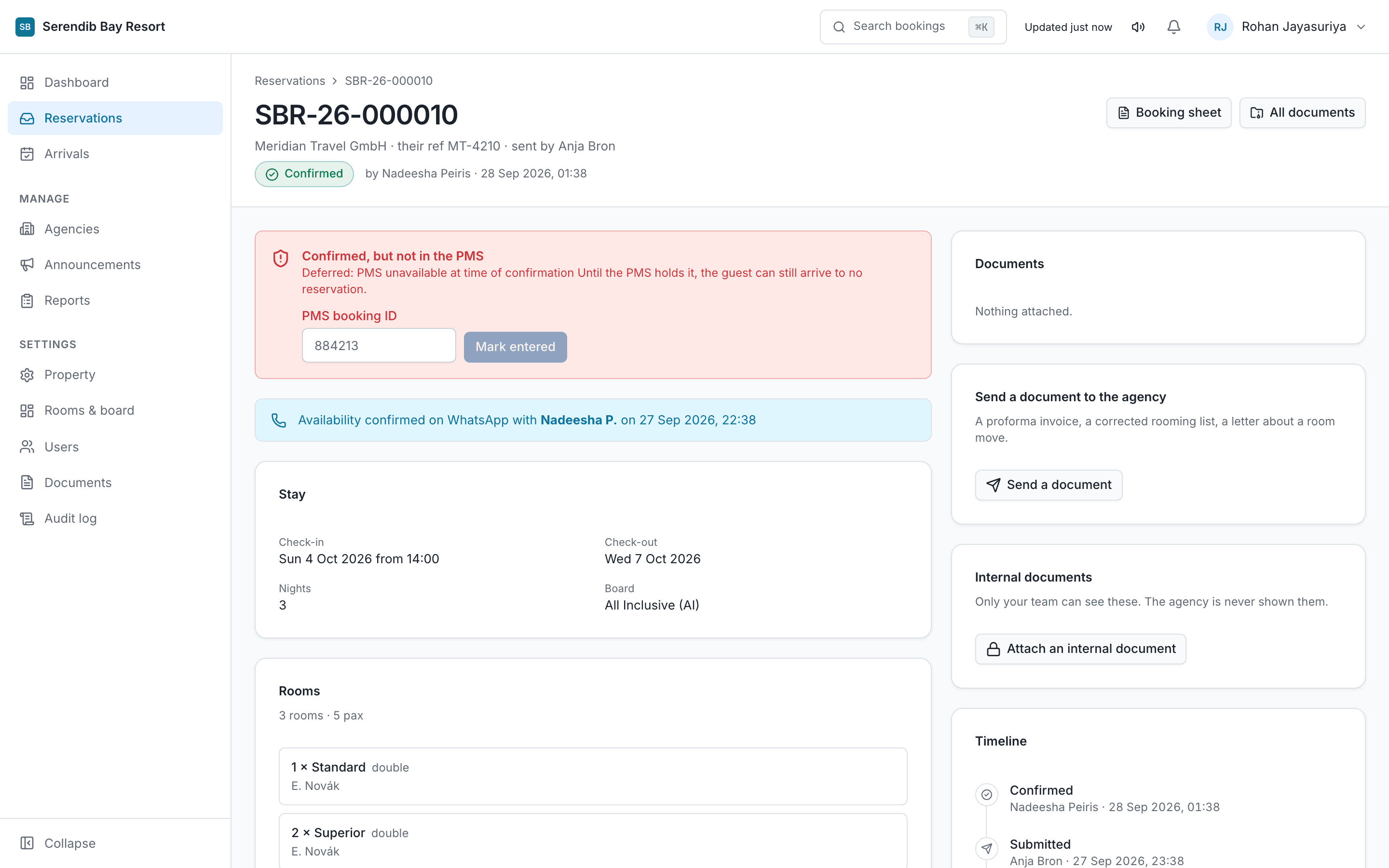
The next step is manual: someone keys the booking into the PMS and records the reservation ID here. Until then it is confirmed in the portal and absent from the PMS.
Closing
the PMS loop.
There is no integration, and that is deliberate. Confirming here does not write to your PMS — someone still keys it in. What this product does is notice when nobody has.
StayIntake never talks to your PMS. Someone keys the reservation in as they always have, then records the PMS reservation ID onto the booking here.
The dashboard counts confirmed bookings that still have no reservation ID against them. Front Office can record it, which is why the front desk is in this product at all.
An email in the property's own timezone listing today's arrivals and flagging any that still have no PMS reservation ID recorded.
Six roles.
Drawn as a matrix.
What each person sees is decided by their role, not by what they know. Someone who cannot reach a screen has not made a mistake — the front desk cannot confirm because confirming commits rooms.
| Task | Owner / Admin | Res. Manager | Res. Agent | Front Office | Accounts |
|---|---|---|---|---|---|
| Intake & Bookings | |||||
| See bookings and reports | |||||
| Confirm or reject a request | |||||
| Request an amendment | |||||
| Approve a change or cancellation | |||||
| Answer an availability enquiry | |||||
| Operations & PMS | |||||
| Assign a booking to a colleague | |||||
| Record the PMS reservation ID | |||||
| Write an internal note | |||||
| Read internal notes | |||||
| Agency & Settings | |||||
| Add and manage agencies | |||||
| Approve or suspend an agency | |||||
| Revoke one agent's access | |||||
| Rooms and board basis | |||||
| Publish announcements | |||||
| Read the audit log | |||||
| Reopen a closed booking | |||||
| Property settings and retention | |||||
| Create and manage staff logins | |||||
One login.
However many hotels.
When a new hotel invites your agency to trade, your company details carry across. No second registration, no second password, no second login to lose.
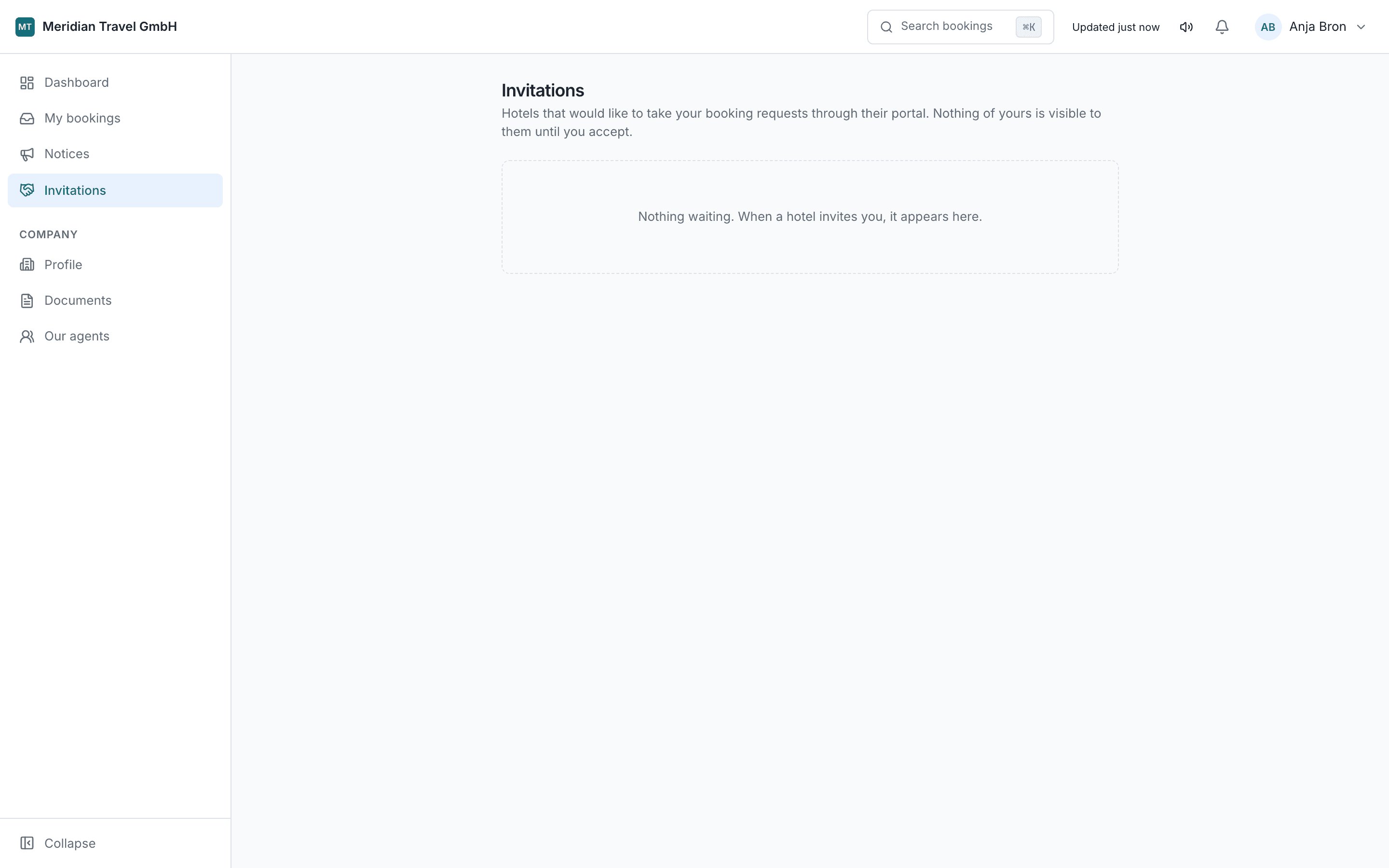
Each hotel sees only its own bookings with you. No hotel learns which other properties you work with, and none is told that another looked.
A suspension or dispute at one hotel has no effect on your active bookings anywhere else. Each relationship stands on its own.
Agency admins add their own reservation agents, so every booking records who sent it — never a shared desk login.
Built around
the shift, not
the software.
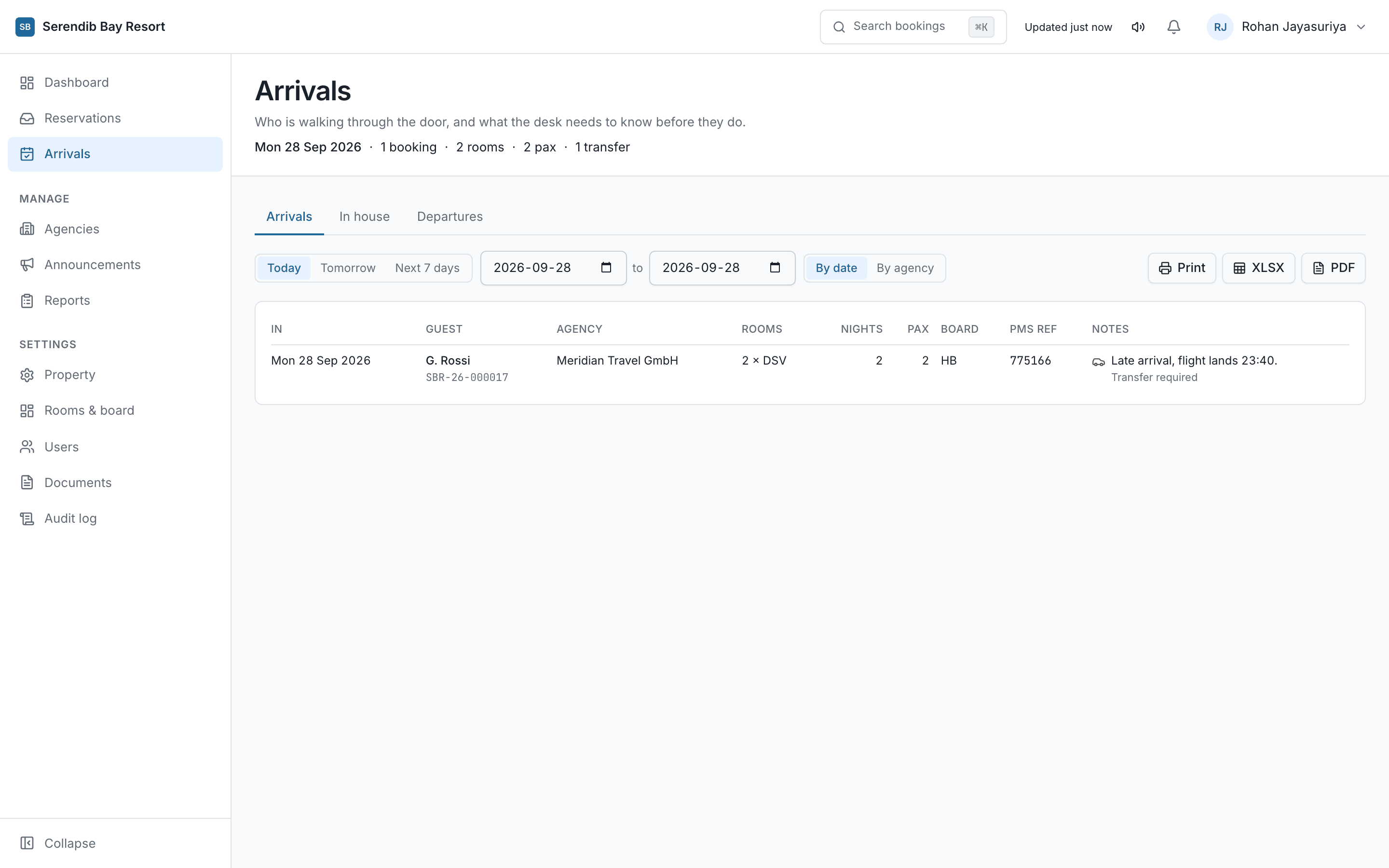
From the 07:00 arrivals check to the document purge that runs in the property's own timezone, every tool is shaped by when the work actually happens.
Who is arriving today, which agency booked them, the board basis, and whether the PMS reference has been recorded.
Vouchers carry guest personal data, so keeping them forever is a liability rather than an asset. Legal hold exempts a file while a booking is in dispute.
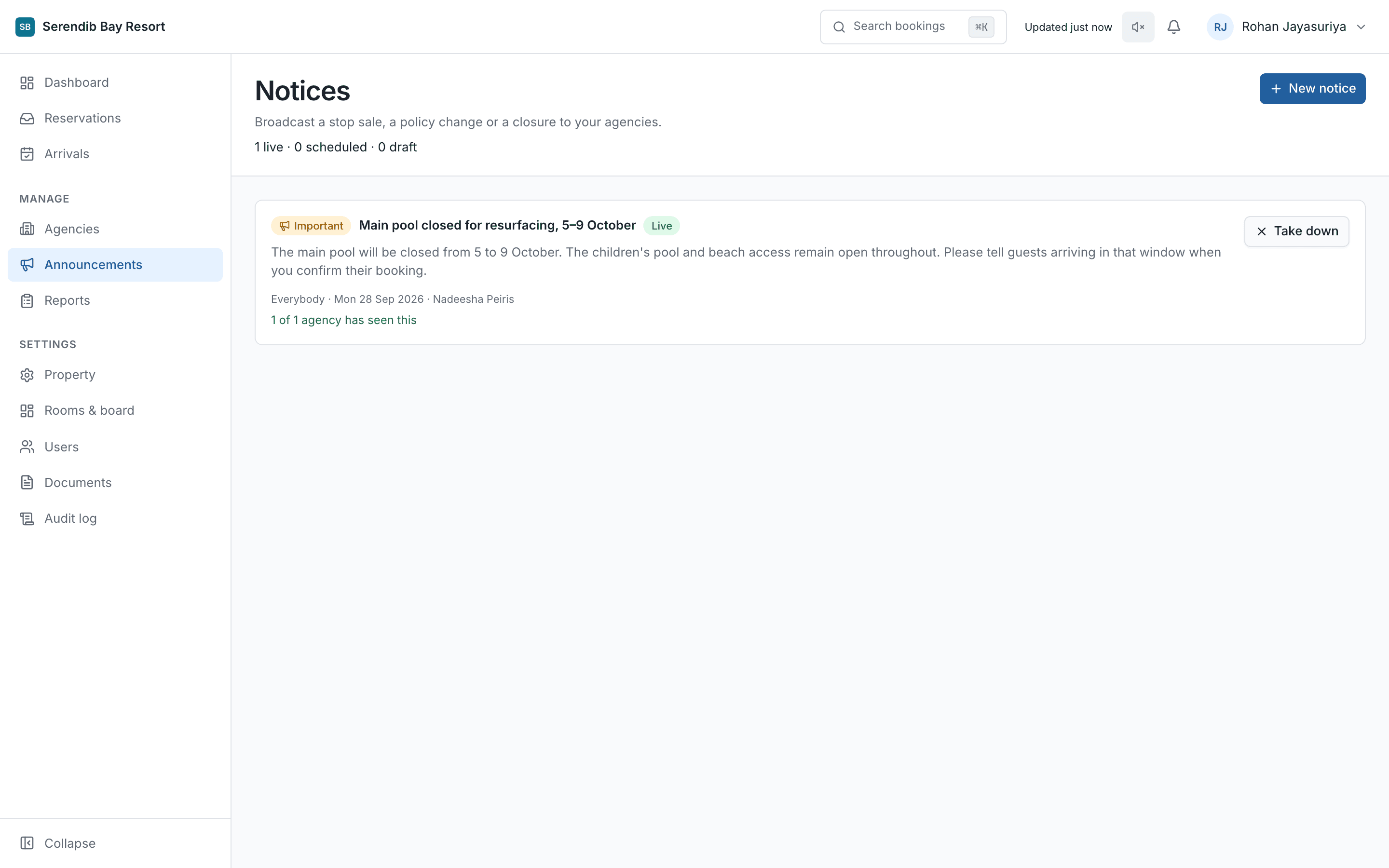
One message reaches every active agency at the same moment — and a notice scheduled for nine goes out close to nine, not whenever somebody remembers.
A guest surname, a booking reference, part of a PMS number. Faster than filtering the list, from anywhere in the portal.
Written for
reservations desks,
not for IT.
Every screen, state transition and role permission is documented in plain language for your team and for the agencies you trade with.
How the hotel runs agency bookings: triage, amendments, recording the PMS reservation ID, agency approvals, and property retention.
Everything an agency needs to send a request, follow what happens to it, and change it afterwards. Written for reservations staff, not for IT.
The things
desks ask
before signing.
Answers here match the handbooks word for word. If something is not covered, the hotel and agency manuals go into considerably more detail.
[ 01 ]Does StayIntake hold our contract rates?
No. The portal carries booking requests, the answers to them, and the documents attached. What an agency pays, and what you have agreed with them, stays in your contract exactly where it is today.
[ 02 ]Does StayIntake connect to our PMS?
No. StayIntake has no connection to your property management system at all — it does not read from it and never writes to it. Someone keys the reservation in exactly as they do today, then records the PMS reservation ID onto the booking here. The dashboard counts confirmed bookings that still have no ID against them, and that count is the single best predictor of a guest arriving to no room.
[ 03 ]Can an administrator edit or delete the timeline?
No. Nobody can, including an owner. A record that can be changed after an argument starts is not a record. An owner can reopen a closed booking, but that reopening is itself written to the timeline with a reason.
[ 04 ]An agency works with several hotels. Do they need a login for each?
No. One login covers every hotel on the portal. When a new hotel invites them, their company details carry across. No hotel is told which other properties that agency works with, and none is told that another looked.
[ 05 ]If we suspend an agency, does that affect their other hotels?
No. Suspension stops them booking with your property only. Every relationship stands on its own, and the other hotels are neither affected nor notified.
[ 06 ]Can we see or reset an agency's password?
No, by design. A hotel holding an agency's password would be holding it at every other hotel that agency trades with. They use Forgot password, which sends a fresh link to their own address.
[ 07 ]Why can't Front Office confirm a booking?
Confirming commits rooms, and that belongs with reservations. The front desk's job here is the arrivals board and recording the PMS reservation ID. They can still see every booking and write internal notes.
[ 08 ]What happens to vouchers with guest data on them?
You set a retention period in property settings and the purge runs automatically in your own timezone. Legal hold marks a file as exempt while a booking is in dispute, and survives the retention setting being changed.
[ 09 ]What happens to a request nobody answers?
It expires. A booking left submitted or awaiting amendment past the property's threshold closes automatically, so nothing sits forgotten. Watch the inbox badge rather than relying on memory.
[ 10 ]How long does it take to get a property running?
An afternoon for a single hotel: your room categories and board bases, your reference prefix, staff logins, then invite your agencies. They set their own passwords from the email your hotel sends.
See StayIntake in your property
Schedule a 15-minute live walkthrough with our hospitality operations team. We'll show you the reservations inbox, the missing-ID counter, and agency onboarding.